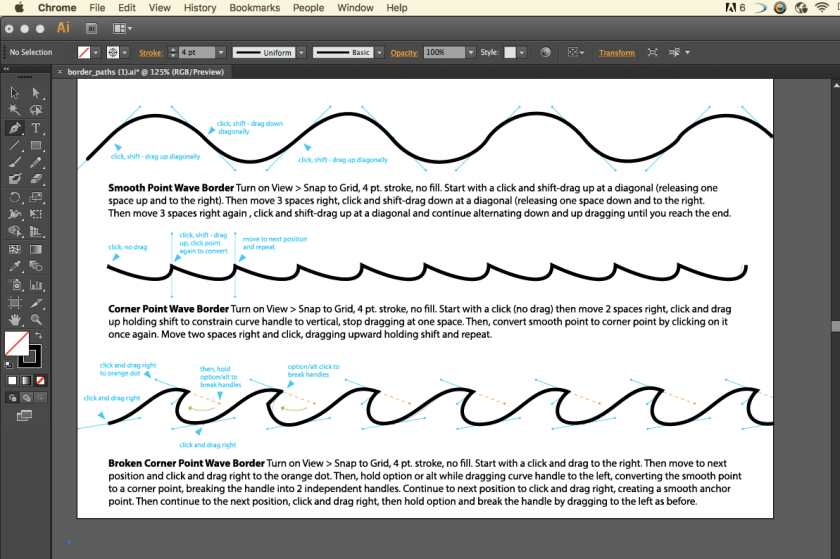
 For the corner wave border I learned that you have to click and without dragging you have to click on the next point and THEN you drag to the desired wave width.
For the Corner Point Wave Border I learned that you had to click and drag and then for the tip of the wave you have to click again and drag and while holding the shift button drag it to the next endpoint. The shift button make your line cut in half so that way one end can move someplace else. Then you click to make the bottom of the wave and repeat, and so on…
 Juicymars' Blog